
Satellite internet on a boat is a sky-facing terminal and a data plan. It can bring weather and chart updates, and it can stream, and those are not the same use of the allowance. It stops being the navigation system the moment the link drops. The plotter, a chart already on board, AIS, and radar have to work without it. A marina Wi-Fi login is a third thing and ends at the dock.
Answer box
Right for this job: Bringing a weather file or a chart update onto the boat while a sky-facing terminal has a clear view and a service plan that still has Priority Data left to spend, as Starlink’s maritime page describes allotments such as Global Priority 50 GB before lower-speed service after the allotment is used (opened September 29, 2026).
Wrong for this job: Treating the satellite link, or a marina Wi-Fi login at the dock, as the thing that keeps the plotter, AIS, and radar alive after the link drops.
The number that decides it: Starlink’s boat-install guidance states each terminal needs an unobstructed 360° view of the sky at 20° elevation above the horizon, and that it requires 100% unobstructed sky visibility to perform well (opened September 29, 2026).
What the spec leaves out: Coverage geography for any named ocean region—coverage not checked; the coverage map was not opened. A marina login’s password, range, or terms—those belong to the marina, not to the satellite plan.
Check before you rely on it: Whether charts for the passage are already stored on the plotter or another onboard device, whether radar and AIS are powered from the boat, and whether the antenna’s sky view matches what the install page requires.
Last checked (September 29, 2026): Starlink boat-install help article; Starlink for Maritime (business) page; Starlink “What is Starlink Maritime?” help article; Starlink service-plans page; NOAA Office of Coast Survey GIS/offline charts page; NOAA NWS Marine Weather Services page. Coverage map: not opened.
What the terminal, the plan, and the dock login are doing
Three links get confused on the same boat because they all deliver “internet” in casual talk. They are not the same physical path, and they do not fail the same way.

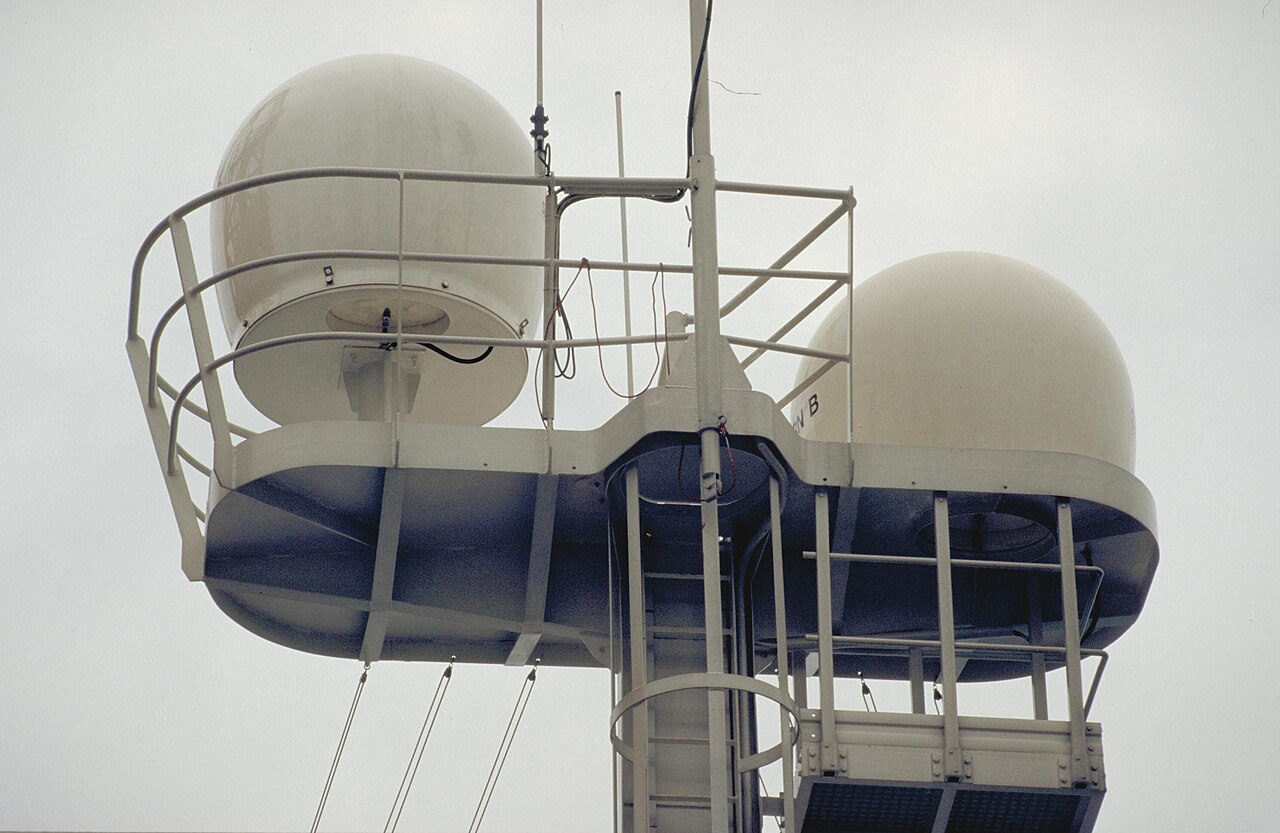
The first link is the satellite terminal. Starlink’s help article on installing Starlink on boats treats the antenna as a sky-facing radio that must see satellites move overhead. The page says each Starlink requires an unobstructed 360° view of the sky at 20° elevation above the horizon, and that mounting higher on masts or poles may be necessary to avoid obstructions, especially in marinas. It also says Starlink requires 100% unobstructed sky visibility to perform well, and that any obstruction, even small, may cause dropped packets, intermittent outages, or reduced speed. That is a hardware geometry problem: blocked sky means a weak or broken satellite path, long before anyone argues about apps.
The second link is the data plan attached to that terminal. Starlink’s maritime product page, opened September 29, 2026, sells Global Priority service in named Priority Data sizes: Global Priority 50 GB, Global Priority 500 GB, Global Priority 1 TB, and Global Priority 2 TB. The same page states that after you exhaust your Priority Data allotment, service continues at up to 1 Mbps download and 0.5 Mbps upload. Starlink’s “What is Starlink Maritime?” help article, also opened that day, defines Starlink Maritime as using the Global Priority plans on the ocean. Separately, the consumer service-plans page lists Roam plans with a stated high-speed allotment on Roam 100 GB—100 GB of high-speed data, then unlimited low-speed data—so allotments appear in more than one Starlink plan family. The point for the boat is not which brand of plan you bought; it is that a plan can state a finite Priority or high-speed bucket. Weather files, chart downloads, and streaming all travel as data through that bucket. They are not three magic lanes that refuse to count against each other unless the seller’s page says so.
The third link is marina Wi-Fi. That login is a dock radio problem: the boat joins a shore access point that only exists while you are in range of that marina’s network. It is not the satellite terminal. It is not GNSS feeding the plotter. It is not the boat’s AIS receiver or radar scanner. When the dock cable or dock radio falls away, that login ends. Treating a marina portal as proof you will have the same path offshore confuses a shore convenience with a passage plan.
GNSS for the plotter is a different radio path again. Position comes from navigation satellites into the boat’s receiver. That path is not the Starlink terminal and not the marina login. Sibling articles on this site already treat the plotter, a chart stored on board, AIS, and radar as onboard instruments. Those tools have to be present and powered from the boat before any internet link drops. No regulation is invented here: the decision is operational. If the only way you can see a chart or a target is through a live download session, you have not finished fitting the boat for a passage with intermittent connectivity.
How this fails differently from boat Wi-Fi
Read next to the companion piece “Why boat Wi-Fi is not the navigation network.” That article is about the boat’s own wireless LAN and why it is not the nav network. This article is about three off-boat or sky-facing links—satellite terminal, plan allowance, marina login—set against instruments that must already be on the hull.
Boat Wi-Fi fails as a local radio between devices you own. Satellite internet fails first as sky geometry and second as plan accounting. Marina Wi-Fi fails as distance from someone else’s access point. Mixing those failure modes is how crews leave the breakwater with false confidence.
Streaming and a weather file both move bits. Starlink’s maritime page distinguishes Priority Data from the slower rates that apply after the Priority allotment is exhausted. It does not need to label “weather” and “video” as separate products for the accounting lesson to hold: both consume the same Priority bucket while that bucket remains. If you burn the allotment on entertainment, the page’s stated after-allotment speeds—up to 1 Mbps down and 0.5 Mbps up—are what remain for anything else until the plan resets or you buy more Priority Data. If a given plan page you hold does not state a cap, say the allowance is unstated and do not invent gigabytes. On the pages opened for this article, allotments are stated for Global Priority sizes and for Roam 100 GB; use those sentences, not forum guesses.
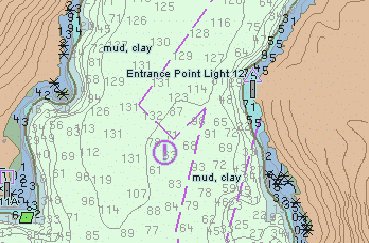
A chart update is also not a live position. The companion article “How to read a chartplotter when the chart and the GPS disagree” is about reading conflict between a stored chart and a GNSS fix. Pulling a new chart cell over satellite internet is a file transfer. Once the file is on the plotter, the plotter’s job is local. The satellite link does not become the chart. NOAA’s Office of Coast Survey page on GIS data and services, opened September 29, 2026, describes NOAA Chart Display Service Mapbox Tiles (MBTiles) for offline applications, notes that offline maps help when connectivity is limited, and tells users they can download ENC-based offline tiles, select a region, and save the MBTiles file to a computer. That is a download-then-carry model, not a promise that the internet will hold the chart open for you mid-passage.
Weather follows the same separation. NOAA’s NWS Marine Weather Services page, opened the same day, states that the service offers marine forecast and warning products in graphical and text (low bandwidth) formats. Low-bandwidth text is still a download or a reception event. It is useful precisely because it can be grabbed while a link exists and then read when the link is gone. Streaming a video forecast on a phone while docked proves only that a link worked in that moment. It does not prove the same link will still deliver a chart cell after the Priority allotment is gone, or after the marina login falls out of range.
What the reader can check
Open the same pages this article used on September 29, 2026, and walk the boat with a short list.
On the terminal page—“How to install Starlink on boats” at https://www.starlink.com/support/article/6d0a3213-27e9-1698-d877-08e181928e25 (opened September 29, 2026)—confirm the sky-view requirement: unobstructed 360° at 20° elevation, and the statement that 100% unobstructed sky visibility is required to perform well. Look at your mount height against masts, radar scanners, and marina roofs. Obstruction is a boat problem the app’s obstruction tool is meant to surface; the page tells you to use the Starlink app to confirm the install area is free of interference from nearby masts or antennas.
On the plan pages—Starlink for Maritime at https://www.starlink.com/business/maritime and “What is Starlink Maritime?” at https://www.starlink.com/support/article/28d29b03-9ca1-3de6-8eeb-97a2f9e5eedb (both opened September 29, 2026)—note the Priority Data sizes and the after-allotment speed sentence. On the service-plans page at https://www.starlink.com/service-plans (opened September 29, 2026), note Roam 100 GB’s stated high-speed allotment if that is the family you hold. Do not invent a number that is not on your plan page.
Coverage map: map not opened. Do not treat any ocean region as confirmed covered from this article. If you need geography, open the current map yourself and read only what it shows that day.
On charts—NOAA’s GIS data and services page at https://www.nauticalcharts.noaa.gov/data/gis-data-and-services.html (opened September 29, 2026)—confirm you understand the offline MBTiles download path if you use NOAA-derived tiles, or confirm your plotter maker’s own stored-chart workflow. On the boat: are the charts for this passage already downloaded? Is the plotter showing them without a live session?
On weather—NOAA NWS Marine Weather Services at https://www.weather.gov/marine/ (opened September 29, 2026)—grab the text or graphical product you actually use while the link exists. Store it where the watch can read it offline.
On instruments: radar and AIS must be powered from the boat’s electrical system, not from “the internet.” Their antennas listen or transmit on their own bands. If either box is only a cloud view on a phone, it is not yet an onboard instrument for a no-link hour.
The decision before the passage
Before you leave the dock, put weather and the charts you need on the boat while a link still exists. Prefer the low-bandwidth forecast formats NOAA publishes when the plan’s remaining Priority Data is thin. Finish chart downloads while you still have Priority Data, marina Wi-Fi at the dock, or another shore path—without treating the marina login as something that follows you offshore.
Do not leave navigation depending on streaming. A video that plays in the slip only proves a path worked in the slip. Do not leave navigation depending on marina Wi-Fi. That login ends with the dock’s radio footprint.
If the sky view is blocked—by a covered berth, a radar mast in the wrong place, or a marina roof—the terminal is the wrong tool until it can see the sky the install page requires. Raising the mount, as the boat-install article suggests for marina obstructions, is a hardware fix. Hoping the plan will compensate for a blocked field of view is not.
Keep the split clear in the passage plan: satellite terminal for updates while the sky and the allotment allow it; stored charts, GNSS, AIS, and radar for navigation whether or not any of the three links are up.
One specific sourced fact
From Starlink’s “How to install Starlink on boats” help article, opened September 29, 2026: each Starlink requires an unobstructed 360° view of the sky at 20° elevation above the horizon. Coverage geography is unstated here because the coverage map was not opened.
The harmful mistake
The harmful mistake is leaving the harbor with navigation that only works while the satellite link or the marina login is up—or treating a streaming session as proof the same link will update a chart offshore. Sky view, data allowance, and marina Wi-Fi are three different things. Updates travel on the allowance while it lasts. Navigation has to already be on the boat when the link drops.
Read next
Why boat Wi-Fi is not the navigation network
How to read a chartplotter when the chart and the GPS disagree